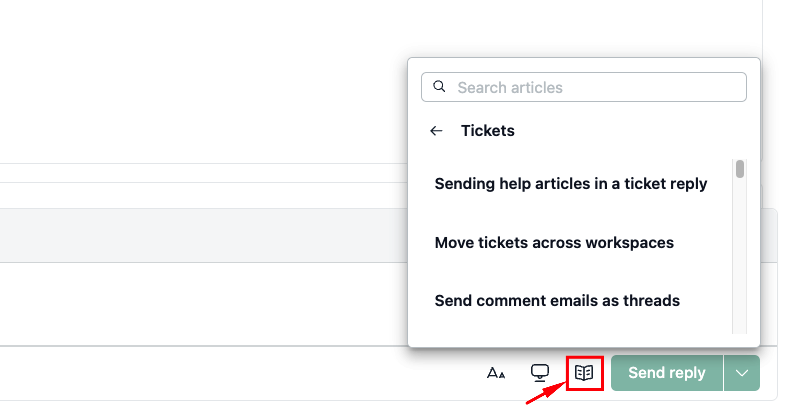

When replying to a ticket, you can insert a help article from your NeetoKB knowledge base directly into the reply. The customer receives the article title, a short description, and a link to read the full article.
There is no setup or integration required. The option is available by default in the reply editor.
Adding a help article to your reply
Open the ticket you want to reply to.
In the reply editor, click the NeetoKB article icon, next to Canned responses.
Use Categories to browse, or type in the search box to find the article you need.
Click an article to open its preview.
Click Send article to add it to your reply.
The article's title and a short description are added to your reply as a link. The customer can click it to read the full article on your help center.