

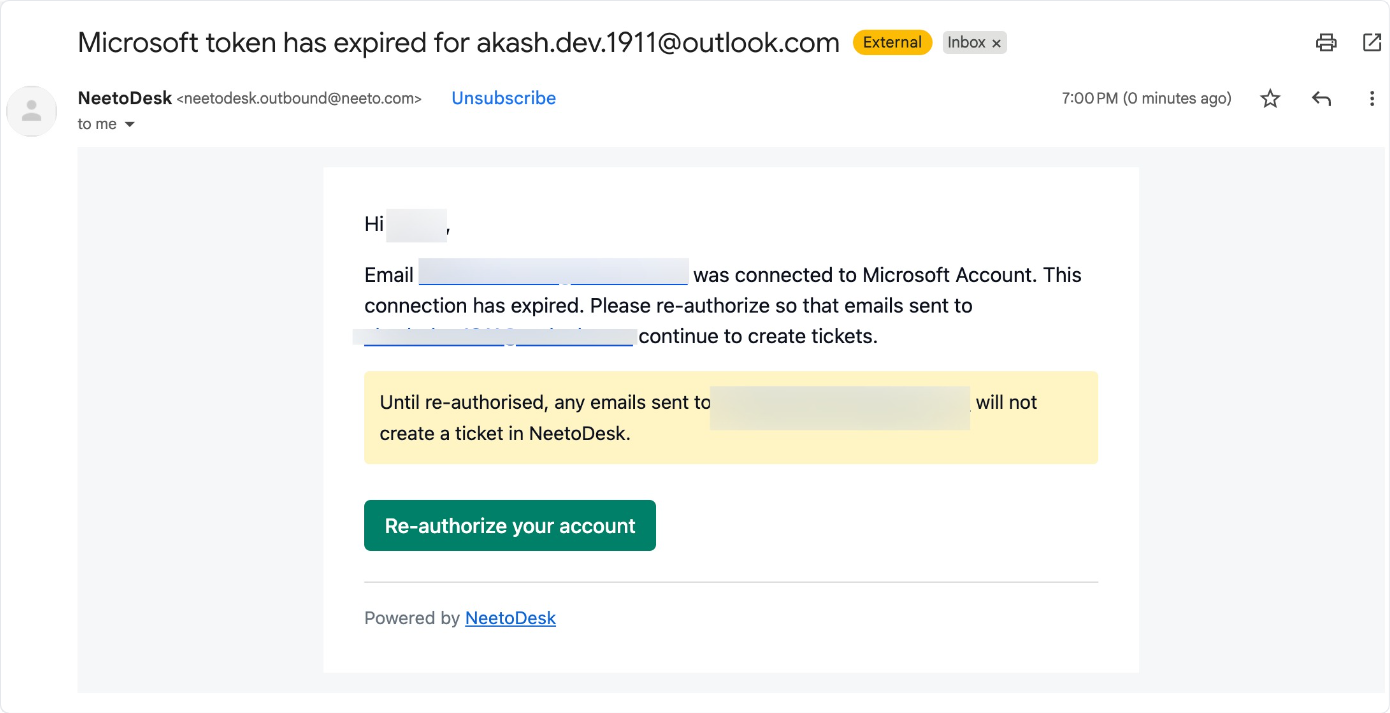
If you've received an email asking you to re-authorize your support email account Microsoft or Google account, don't worry, this is a normal part of how email security works. This article explains why this happens and what you need to do.
Your email account (For example, Google/Microsoft Outlook) has disconnected from NeetoDesk. This means NeetoDesk can no longer access your emails to process support requests. The disconnection happens on Microsoft's or Google's side.
This doesn't happen frequently for most users. It only occurs when something
changes with your email account security on Microsoft's or Google's side. For
most customers, this might happen once in a while, not regularly.
How NeetoDesk fetches emails from the support email
When you connect your email account, we receive special security tokens from Microsoft or Google that allow us to access your emails. These tokens are designed to expire or become invalid when security-related changes occur. This is entirely controlled by Microsoft or Google, based on their security policies. As soon as we detect that we can no longer access your emails, we immediately send you a reauthorization email.
Why does this happen?
Email accounts can disconnect for several reasons.
Password change: You changed your email password.
Security review: Microsoft or Google automatically reviewed app connections for security reasons.
Admin changes: If you're part of an organization, your IT admin may have removed or updated app permissions.
Account updates: Changes made to your Microsoft 365 or Google Workspace settings.
Employee changes: If an employee left your organization, their account access was revoked.
Re-authorizing support email
When you received an email related to reauthorize,
Click on Re-authorize support email button.
It will redirect to mailbox page.
Connect your support email (Google/Microsoft/Custom).
Complete login process through your email provider.
Once finished, you’ll see Verified tag next to your support email.
If you reconnect promptly, our system will automatically fetch recent messages. However, waiting several days may result in some emails being missed if you receive a high volume of traffic.