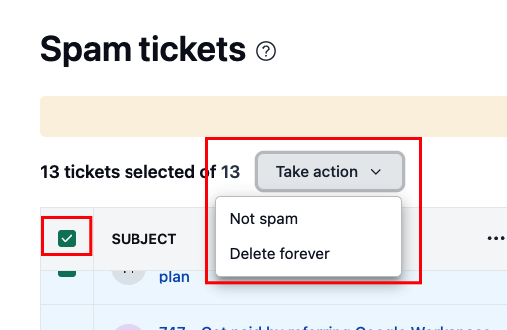

You can mark tickets as spam individually while reading them, or several at once from the ticket list. Spam tickets move to the Spam view, and any ticket left there for more than 30 days is deleted automatically.
Marking a single ticket as spam
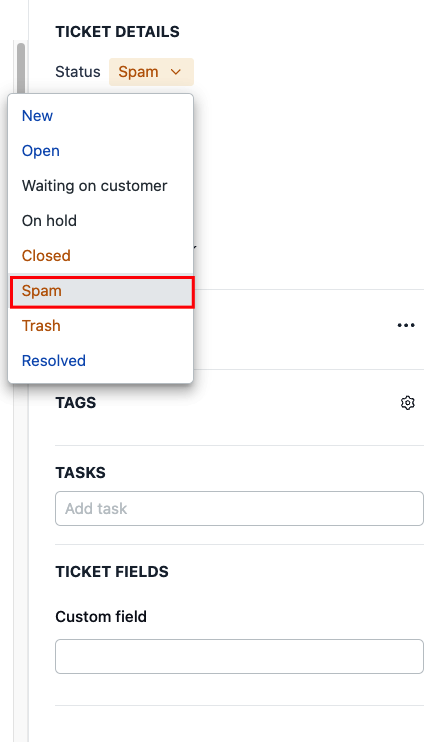
You can mark a ticket as spam straight from the ticket you're reading, using the Status dropdown in the sidebar on the right.
Open the ticket you want to mark as spam
In the right sidebar, open the Status dropdown and select Spam
In the Report spam? confirmation, click Report spam
The ticket moves to the Spam view.
Marking multiple tickets as spam
To clear out several tickets at once from the ticket list:
Select the checkbox next to each ticket you want to mark as spam
Open the Take action menu that appears
Select Report spam
In the confirmation, click Report spam
The selected tickets move to the Spam view.
Restoring or permanently deleting spam tickets
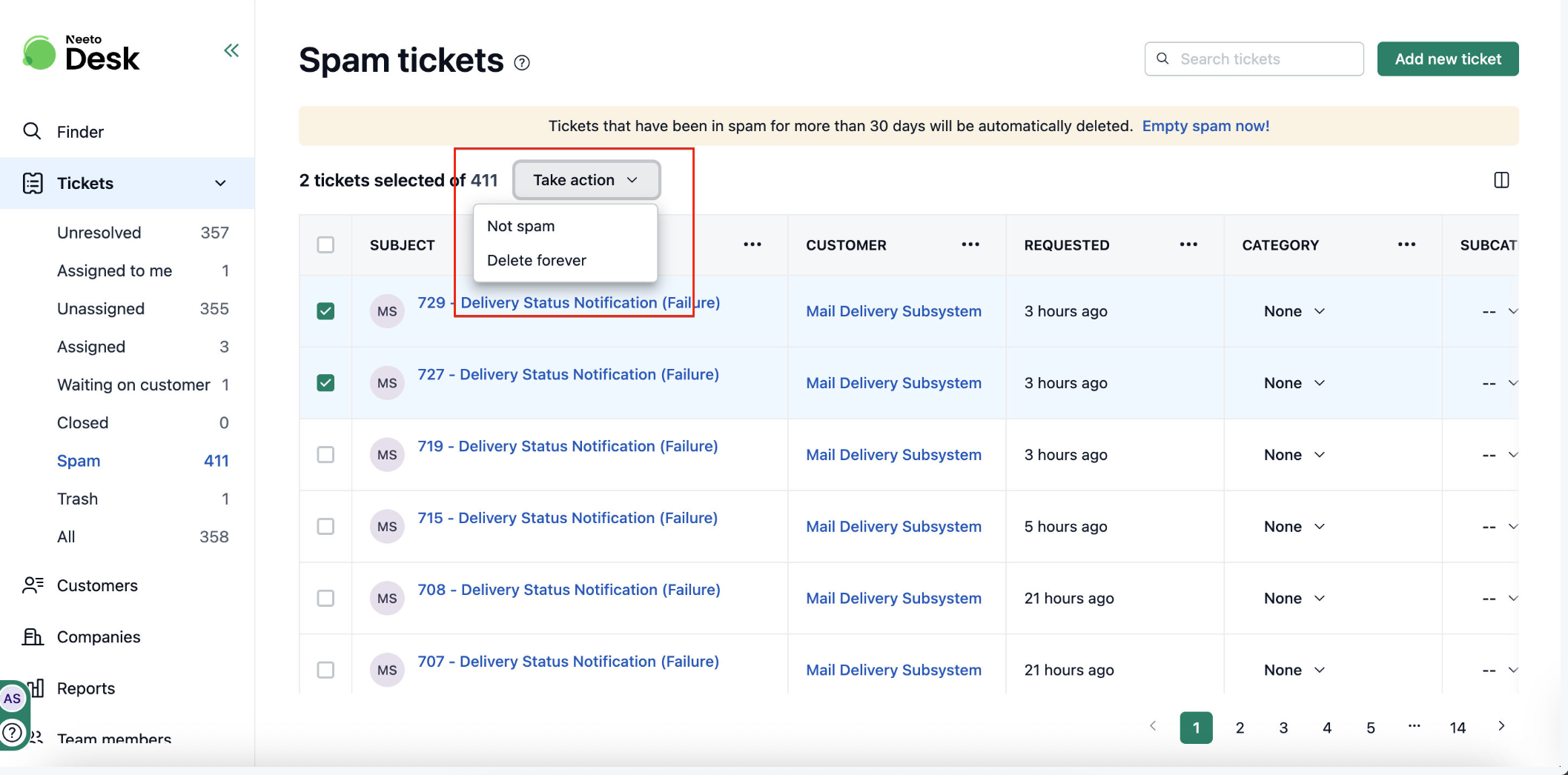
Tickets left in the Spam view for more than 30 days are deleted automatically. To act on them sooner:
Select Spam from the views sidebar
Select the checkbox next to each ticket you want to act on
Open the Take action menu
Select Not spam to move the tickets back to your ticket list, or Delete forever to remove them permanently.